In Office 2007, you sometimes get shown this funny little dialog box when saving a large document. Have you ever noticed it?
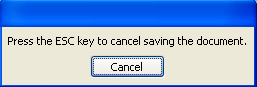
So what happens if you click cancel – does it cancel saving the document? Or does it just dismiss the dialog box? And why does it appear for a second or so, then disappear, unprompted, equally quickly?
It’s obviously intended to let users escape from a really slow save (e.g. a big document over a slow network), but most of the time it doesn’t quite work.
This kind of design mistake is like a vestigial feature. It exists in its current form mainly because it’s not quite bad enough to get any design attention.
Any app that throws up a modal dialog box in this day age needs taking outside and shooting.
I had a large PowerPoint presentation that I made changes to and could not save when this message came up. wonder if there is any solution.