There are certain kinds of user research that require extreme video analysis, where you literally have to transcribe every utterance, gesture and movement, and a single hour of footage can take almost a day to analyse. You can imagine this is a painstakingly tiresome process, so this open source app by IBM researcher Eben Haber seems like it would be pretty useful:
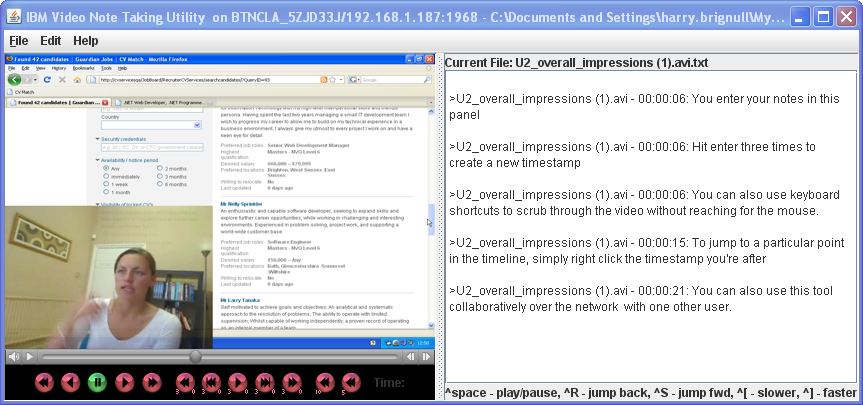
The app is called Video Note Taker and it does exactly what it says on the tin. Once you’ve learned a few key combinations you can easily scrub back and forth through the footage at different speeds, bind each line of your notes to a timestamp in the video, and then (here’s the clever bit) jump to the point of in the video that each timestamp corresponds with.
There are a number of other apps that provide similar functionality – including Microsoft’s OneNote, the captioning tool in Techsmith’s Camtasia, and a whole ream of dusty-looking academic apps. However, since Video Note Taker is free, simple, and easy to learn, I can see it being quite popular within its niche.
Video Note Taker requires Quicktime and Java, and runs on both on Windows and OS X.
→ Find out more about Video Note Taker
(Found via Melissa Cefkin on the Athrodesign mailing list).
Thanks for this info, Harry.
The Video Note Taker llooks like it would be useful to me in my work as a school psychologist.
We video tapes students during some of our assessments. We also record sessions with students who have autism spectrum disorders, and when gathering observational data.
I know that it is very time-consuming to look at lots of video! I know I’ll be trying it out soon.
that’s really informative for me :)
A related tool I’ve been using recently for transcriptions of contextual inquiry recordings is TAMS Analyzer . It’s also free and it includes the tools you need to take the next step with the transcript: thematic analysis.
I just found this blog post, thanks for publicizing my note taking tool. FYI, as of October 29, I just released a new version with some bug fixes, and better handling of keyboard shortcuts on the mac.